Context
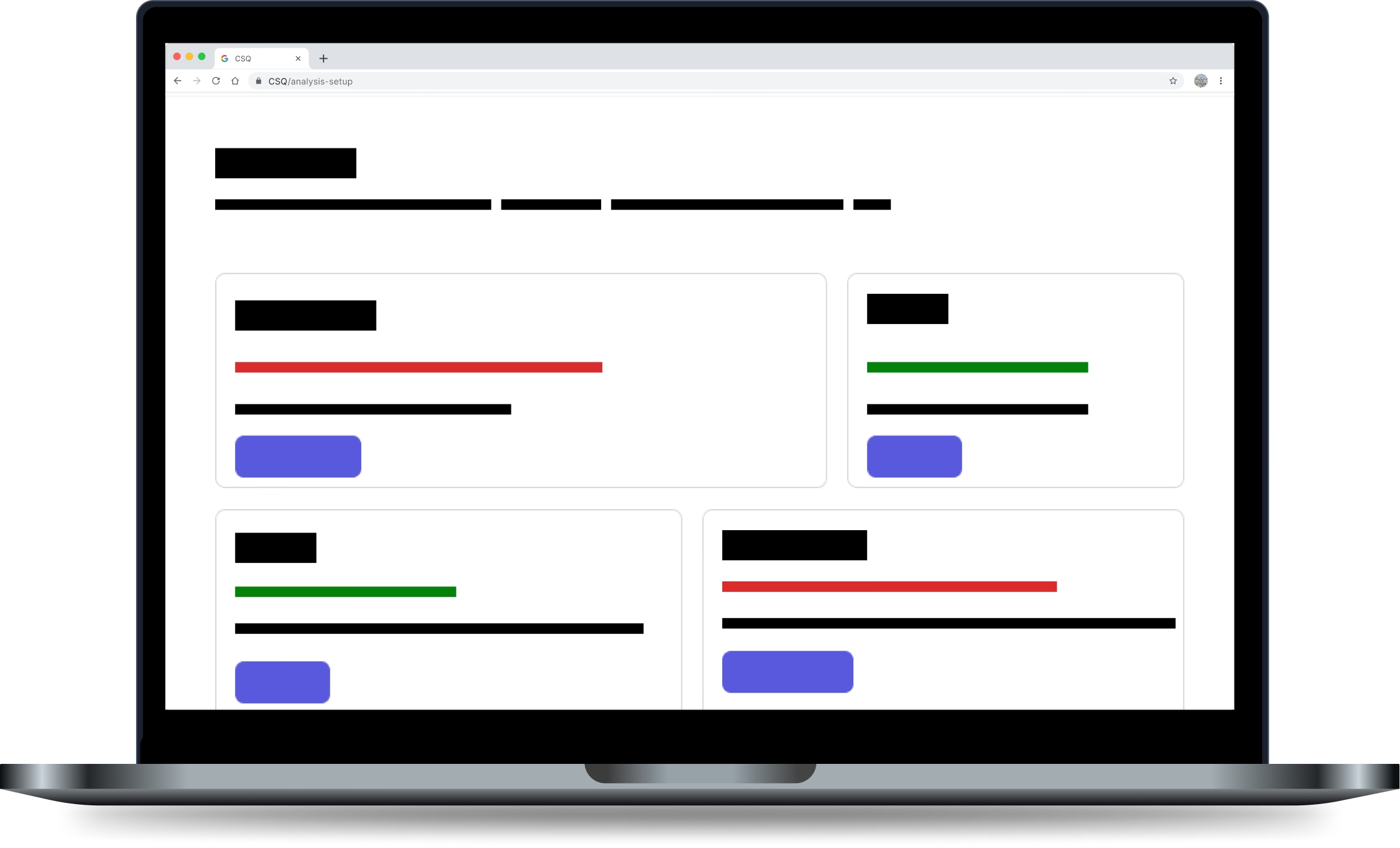
Analysis Setup grouped distinct but related tools: Segments, Mappings, and Data Connect. Each handles a different part of analysis configuration. Together they form a logical unit.
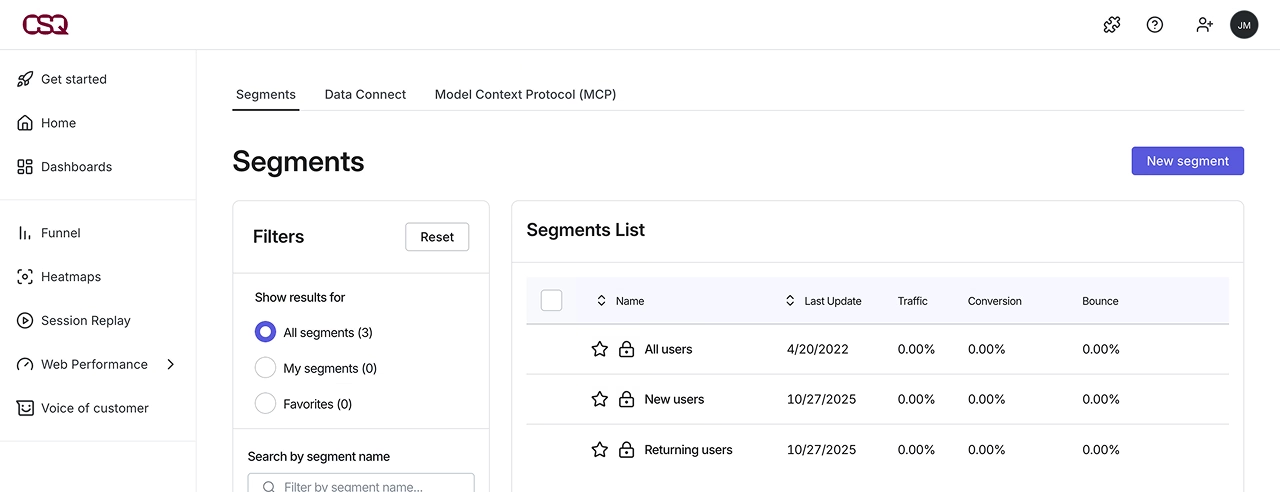
Once inside the section, navigation uses tabs. That pattern was already inconsistent with the rest of the product before Data Connect launched.
Adding a third sub-section made it harder to ignore.
Role
Hands-on product design director.
I was responsible for the design vision and the crafting.
I worked on aligned outcomes and frequent feedback with a Product manager and a senior engineer to scope and to deliver.
Results
The inconsistency we finally kept for later did not block adoption.
Data Connect reached 234 signed clients by open beta, including Clients in luxury, hospitality, energy management, and streaming.
The V2 navigation work was handed-off as a prioritized item for the next cycle.
The problem
The tab pattern created two compounding issues.
Tabs at the Analysis Setup level conflicted with tabs used inside sub-sections. Data Connect itself uses tabs internally.
A user navigating into it encountered two levels of tab navigation simultaneously.
That is not a minor inconsistency.
It is a structural confusion that compounds with every new sub-section added.
The default landing page for Analysis Setup was Segments.
A user arriving had no overview of what the full section contained or where to go.
One constraint
The fix touched shared architecture across three sub-sections simultaneously. It was not a Data Connect change. It was an Analysis Setup change that affected everything inside it.
Engineering bandwidth was fully committed to Data Connect delivery. Reopening the architecture meant delaying launch or descoping committed features.
Neither was acceptable.
One working solution
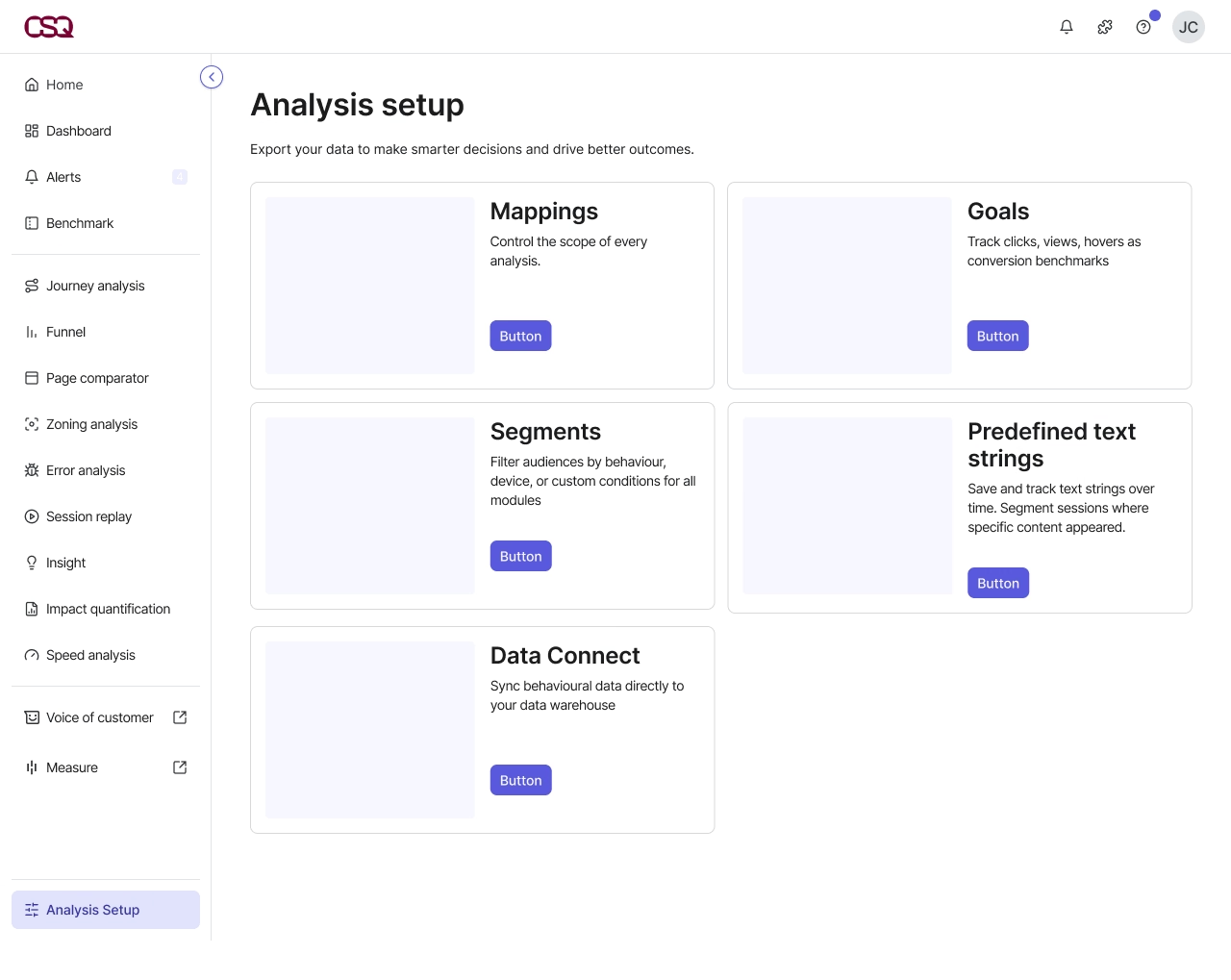
A dedicated landing page for Analysis Setup, replacing the tab pattern at the section level.
Each sub-section would be accessible via clear entry points
Tab navigation, if needed, would only exist inside sub-sections.
This removed the structural confusion, gave users orientation on arrival, and left room to add future sub-sections without degrading navigation further.
This was vibe-coded in Lovable to share, get feedback and iterate.
The decision
We shipped without the navigation fix.
The tab pattern and the Segments default landing page stayed.
Two things were non-negotiable before closing the decision:
The inconsistency was documented in full: problem, ideal solution, estimated effort, impact on users.
A V2 ticket was written and prioritised before launch, not after.
Shipping a known problem without a plan to fix it is debt.
Shipping it with documentation and a prioritised next step is a decision.
What it changed
Since the outer navigation was degraded, the inner Data Connect experience had to work harder.
The landing page became more intentional, with clearer entry points and more explicit signposting.
A constraint on one layer pushed quality up on another.
Want to discuss this?
Other case studies

Seamless data export
Contentsquare
Bring Contentsquare behavourial data in the client ecosystem with a new feature.

ORPI digital platform
Dagobert
Design of a new ORPI real estate marketplace for better competitiveness.

Michelin mobile
DigitasLBI
Provide a sustainable online mobile platform for current and future needs of Michelin US and other entities.